
Your trip, planned properly. Solo or with the crew.
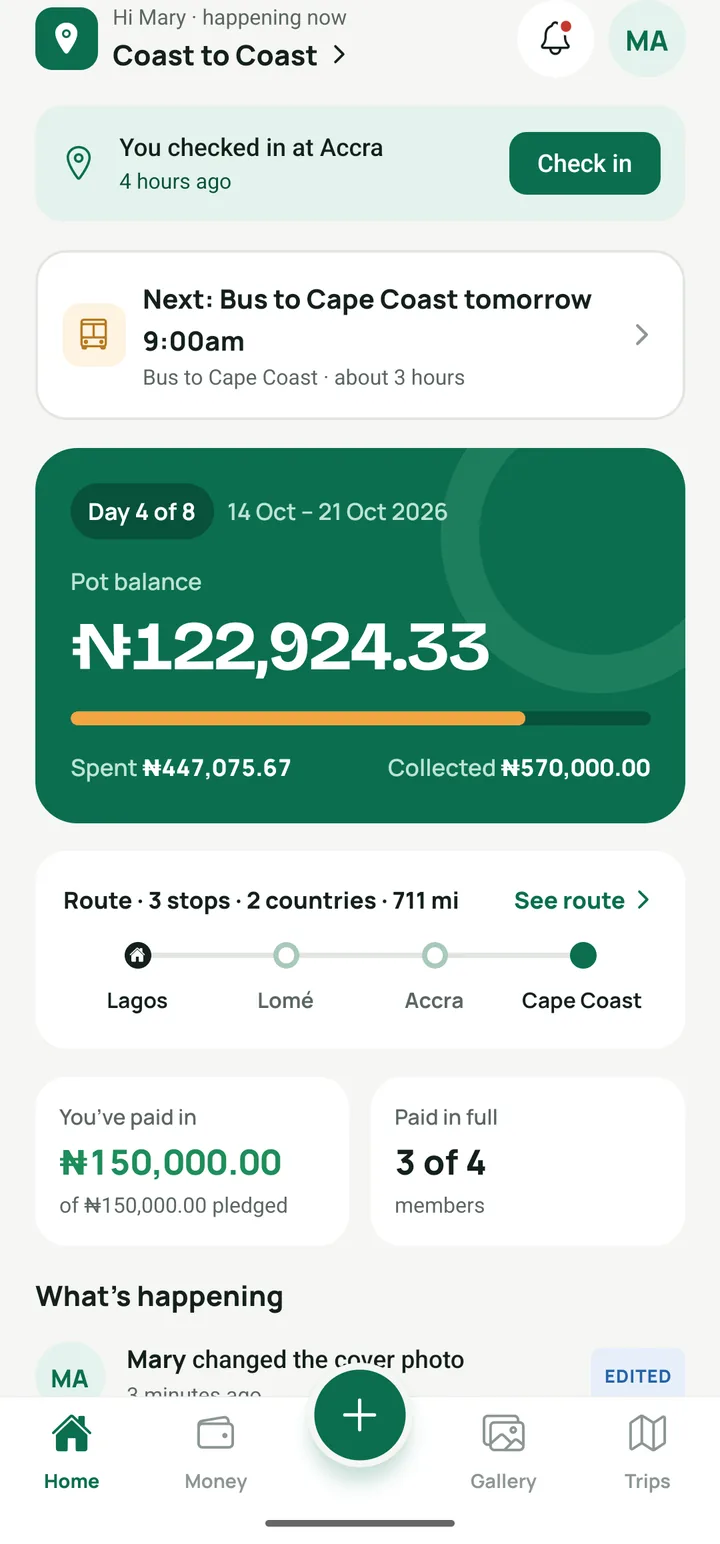
Your route and stops, a packing checklist, notes and emergency contacts, all in one place. Going with friends? Invite the crew, pool the money and settle up fairly. Works offline, anywhere.
The plan lives in a group chat, a few screenshots and someone’s head. Then something gets missed.
One plan, in one place
Every stop with its dates, where you are staying and what each day looks like. Notes, addresses and emergency contacts sit right beside them.
Ready before you leave
A checklist of things to bring and to-dos to finish. Everyone ticks their own, and you can remind anyone who is not ready.
Money sorted, if you go as a group
One pot everyone can see, every expense with its receipt, and a fair settle-up at the end in the fewest transfers.
From the first idea to the last photo
- STEP 1
Create the trip
Name, dates and stops, or describe the trip in a sentence and let AI draft it. Going with friends? Invite them with a link on WhatsApp.
- STEP 2
Plan it out
Where you are staying, what each day looks like, what to pack and what still needs doing.
- STEP 3
Travel
Add expenses and photos as you go, in any currency, with or without data.
- STEP 4
Wrap it up
Settle up with the crew, download the album, and keep the whole trip to look back on.
Built for the whole trip, from the first plan to the last photo
Planning
The route, the packing list and the people, in one place.
AI trip planner
Describe the trip in a sentence. Wakabuddy drafts the stops, a plan for each one, a checklist and a budget estimate. Every suggestion is labelled, and you keep or change what you like.
Trips and invites
Create the trip with dates and stops. Travel solo, or invite the crew with a link or code on WhatsApp and add co-organizers to share the work.
Friends without the app
Add friends as guests with a name and email, or let them join from the crew link on the web. They see the trip, get updates by email, and the crew logs money for them.
Route and stops
Every stop with its dates, where you are staying, and a plan for the day, starting from home. Expenses and photos land on the right stop.
Getting between stops
How you travel each leg, when you leave and how long it takes, with the distance in km or miles. Crossing a border? Note the crossing and what to carry.
Checklist
Things to bring, where each person ticks their own, and shared to-dos. Remind people who are not ready.
Shared notes
Hotel addresses, border tips and anything else the crew needs. Addresses open straight in Maps.
Emergency contacts
Each person’s emergency contact, saved on everyone’s phone. Calls go over the phone network, so they work with no data.
On the road
Made for borders, roaming and patchy signal.
Map and check-ins
Every stop on a map, with the road from home. Check in as you go to file expenses and photos on the right stop and draw the route you actually took.
Trip journal
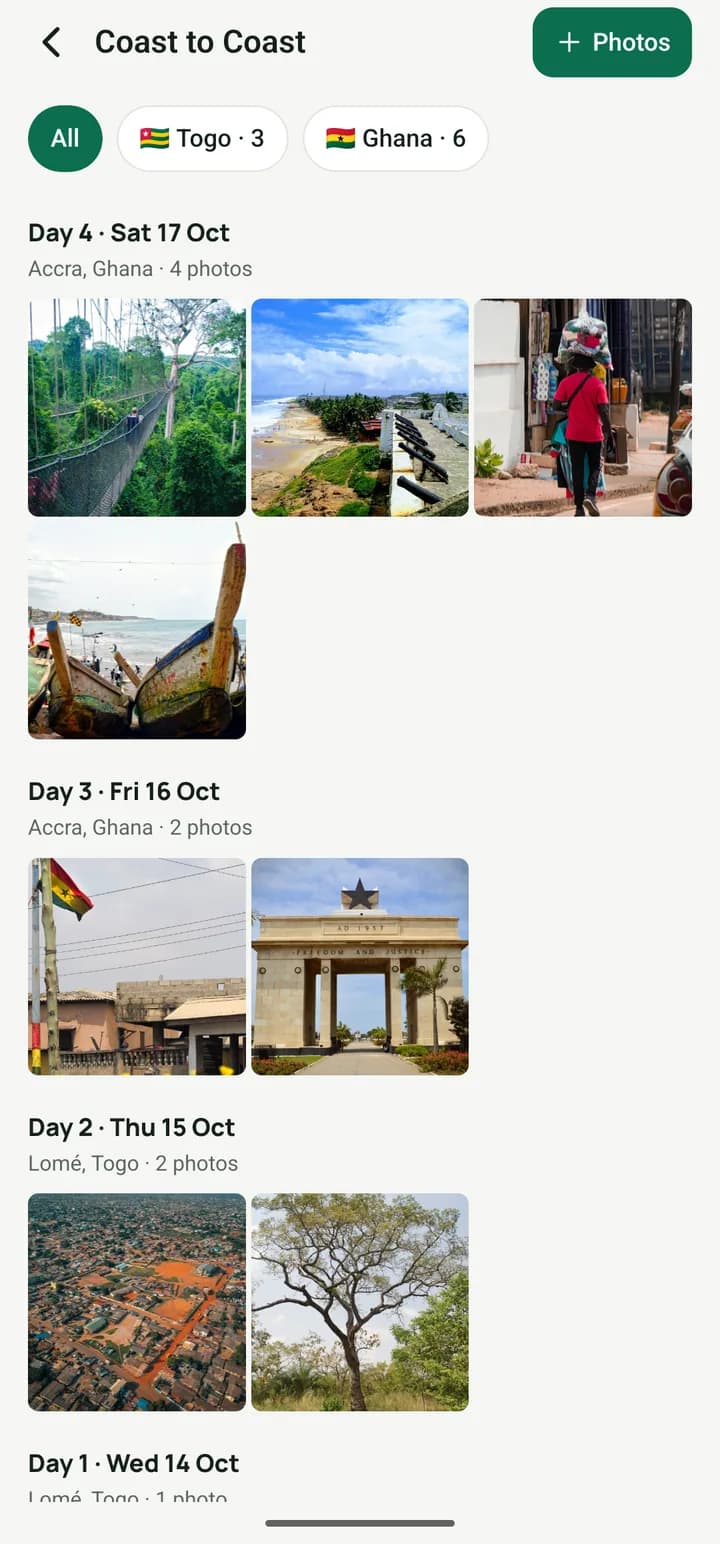
A page for each day of the trip. Your photos, check-ins and spending for the day sit beside what you write.
Works offline
Log expenses, contributions and photos with no data. They queue on your phone and sync on their own, with a clear sync status.
Shared photo album
Everyone’s photos in one album, grouped by day and stop. Compressed before upload, uploads in the background, and an optional Wi-Fi-only switch.
Download the whole album
Save any photo to your phone during the trip, and download everything as one ZIP, a folder per day, once it ends.
Notifications and reminders
A push when a contribution needs confirming or a payment comes in, and day-before reminders at 4 pm. Pick which kinds you get; the inbox keeps them all.
English or French
Use the app in English or French. Notifications, emails and AI drafts follow your language.
Money
One pot and a fair split for group trips, and a personal budget when you go solo.
Trip cost, split for you
Set the trip cost and how many are going. Everyone sees their share, the organizer can adjust anyone’s, and the pot tracks spending against the plan.
Shared pot
Everyone pledges an amount and logs their transfer with a screenshot. The organizer confirms it, and the pot balance updates for the whole group.
Expenses with receipts
Amount, category, who paid (the pot or a person), a note and a receipt photo. Fuel, food, lodging, transport, border fees, tolls, activities and more.
Flexible splits
Split equally, between selected people, or with custom amounts when someone skips a meal.
Personal budget
Going solo? Set a budget and track your spending against it, with an alert at 80% and again at 100%.
Any currency, your real rate
Log in the currency you paid in and record the rate you actually got at the border. Totals come back in the trip’s currency, which starts as your home currency.
Balances and settle-up
Each person’s share against what they put in, then who pays whom with the fewest transfers. Mark it paid; the receiver confirms.
Edit history
Every expense and contribution keeps its history: who changed it, when, and what it was before. Deleted items stay visible as deleted.
Your money stays yours
Wakabuddy records payments; it never holds or moves money. Bank details only show to the person paying you, and share pages never show phone numbers or emails.
Questions
Can I use it for a solo trip?
Yes. Plan your route, checklist, notes and photos just for yourself. If friends join later, invite them to the same trip.
Can friends without the app join?
Yes. Add them as guests, or send the crew link. They join on the web with their email, see the trip and get updates by email.
Does Wakabuddy hold our money?
No. You keep sending money the way you already do, and log it in the app. We only record payments; we never hold or move them.
Does it work without data?
Yes. Expenses, contributions and photos queue on your phone and sync when you have signal again.
Which currencies can we use?
Any. Log each expense in the currency you paid in, record the rate you got, and totals show in the trip’s currency.
Who can see our trip?
Only the people in it, plus anyone you send a share link to. You decide what that page shows.
What does it cost?
It is free while we test with real trips. Seeing contributions, expenses and the edit history will always be free.
Planning a trip?
Wakabuddy is on Google Play now. The iPhone app is on the way.